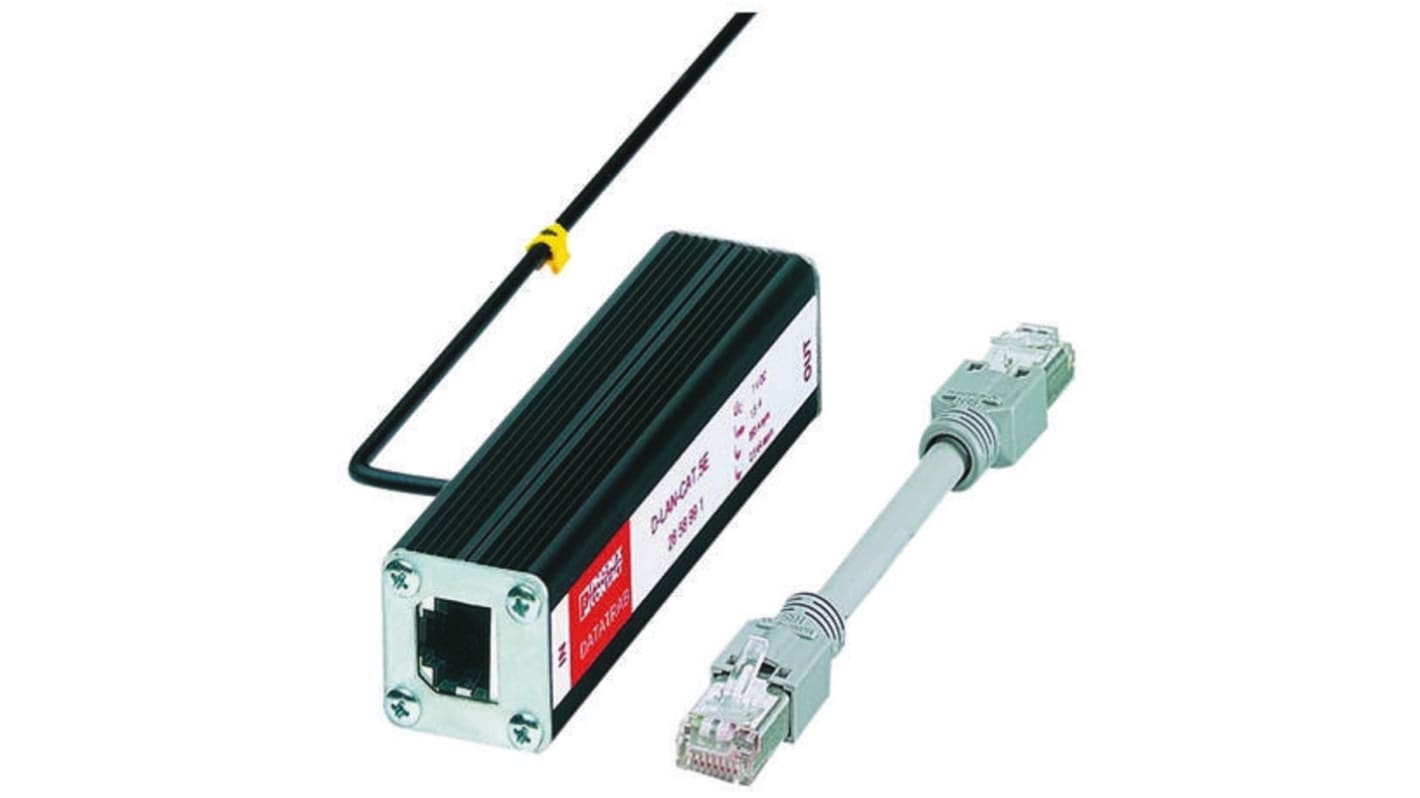
Phoenix Contact, D-LAN-CAT.5E Surge Protection Device 7V dc Maximum Voltage Rating 2.5 kA Maximum Surge Current
- RS Stock No.:
- 504-3579
- Mfr. Part No.:
- 2858991
- Brand:
- Phoenix Contact

Bulk discount available
Subtotal (1 unit)*
£159.43
(exc. VAT)
£191.32
(inc. VAT)
FREE delivery for orders over £60.00
In Stock
- 8 unit(s) ready to ship from another location
Need more? Click ‘Check delivery dates’ to find extra stock and lead times.
Units | Per unit |
|---|---|
| 1 - 4 | £159.43 |
| 5 - 9 | £153.05 |
| 10 - 19 | £145.08 |
| 20 + | £132.33 |
*price indicative
- RS Stock No.:
- 504-3579
- Mfr. Part No.:
- 2858991
- Brand:
- Phoenix Contact
Specifications
Technical Reference
Legislation and Compliance
Product Details
Find similar products by selecting one or more attributes.
Select all | Attribute | Value |
|---|---|---|
| Brand | Phoenix Contact | |
| Suppressor Type | Attachment Plug | |
| Product Type | Surge Protection Device | |
| Maximum Voltage | 7V dc | |
| Mount Type | Plug-in | |
| Maximum Surge Current | 2.5kA | |
| Series | D-LAN-CAT.5E | |
| Minimum Operating Temperature | -40°C | |
| Maximum Operating Temperature | 80°C | |
| Standards/Approvals | DIN EN 50173-1, E VDE 0845-3-1, EAC, UL Listed, IEC 61643-21 | |
| Depth | 25.4mm | |
| Height | 94mm | |
| Length | 94mm | |
| Hazardous Area Certification | NO | |
| Select all | ||
|---|---|---|
Brand Phoenix Contact | ||
Suppressor Type Attachment Plug | ||
Product Type Surge Protection Device | ||
Maximum Voltage 7V dc | ||
Mount Type Plug-in | ||
Maximum Surge Current 2.5kA | ||
Series D-LAN-CAT.5E | ||
Minimum Operating Temperature -40°C | ||
Maximum Operating Temperature 80°C | ||
Standards/Approvals DIN EN 50173-1, E VDE 0845-3-1, EAC, UL Listed, IEC 61643-21 | ||
Depth 25.4mm | ||
Height 94mm | ||
Length 94mm | ||
Hazardous Area Certification NO | ||
Phoenix Contact D-LAN-CAT.5E Series Surge Protection Device, 25.4x94x25.4mm, 2.5 kA Maximum Surge Current - 2858991
This surge protection device is vital for protecting sensitive electronic equipment from transient voltages and surges. Specifically designed for network applications, it offers a dependable solution to prevent potential damage from electrical surges. This device effectively contributes to DC surge protection, ensuring safety in critical systems.
Features & Benefits
• High surge current protection of up to 2.5kA
• Maximum voltage rating of 7Vdc
• Compatible with connection-specific intermediate plugging
• Functions well in temperatures ranging from -40°C to +80°C
• Compact design with dimensions of 25.4x94x25.4mm
• Simplifies installation with an attachment plug surge suppressor feature
Applications
• Network surge protection in automation environments
• Suitable for various DC requiring surge suppression
• Enhancing electrical stability in connection-specific setups
What precautions should be taken during installation?
Ensure the device is properly connected to your network to maximise its protective capabilities.
Is this device compatible with various network types?
It is specifically designed for network environments, ensuring broad compatibility.
What maintenance does it require for optimal performance?
Regular inspections for physical damage and checking that connections remain secure will help maintain effectiveness.
Related links
- Phoenix Contact, D-LAN-CAT.5-HC Surge Protection Device 5V dc Maximum Voltage Rating 10 kA Maximum Surge Current Surge
- Phoenix Contact, CN Surge Protection Device 280V Maximum Voltage Rating 2.5 kA Maximum Surge Current
- Phoenix Contact, TTC Surge Protector 150V ac Maximum Voltage Rating 2.5 kA Maximum Surge Current Surge Protection Device
- Entrelec, M 4/9 PV Surge Suppressor Unit 130V dc Maximum Voltage Rating 2.5 kA Maximum Surge Current Terminal Block with
- Phoenix Contact, TTC Surge Protector 60V dc Maximum Voltage Rating 2 kA Maximum Surge Current Surge Protection Device
- Phoenix Contact, TTC Surge Protector 15V dc Maximum Voltage Rating 0.3 kA Maximum Surge Current Surge Protection Device
- Phoenix Contact, TTC Surge Protector 15V dc Maximum Voltage Rating 10 kA Maximum Surge Current Surge Protection Device
- Phoenix Contact, TTC Surge Protector 30V dc Maximum Voltage Rating 5 kA Maximum Surge Current Surge Protection Device